Showing posts with label Dell Laptops. Show all posts

DELL XPS M1710

The M1710 (N04XPS7) is the bigger brother of the M1210 and, just like its smaller sibling, it's very different in appearance to the rest of the Dell laptop range. It's powerful, too; in fact it's one of the most powerful notebooks currently available. The XPS M1710 has been around for a while but our review sample, the flagship model of the range, is one of the latest with a Blu-Ray writeable drive fitted as standard.

The M1710 comes in two colours - Metallic Black (our review sample) or Formula Red - and, as is becoming for a member of the XPS clan, enough lights to shame a Christmas tree. The design of the notebook is what you could call "funky industrial" with the metallic black lid inlay neatly set off by the metallic silver surround. It's a tough beast as well, with a magnesium alloy chassis, steel lid hinges and thick plastic palm wrests, but weighing in at 5.5kg you won't want to be carrying it around much anyway.

As the flagship model, our M1710 came powered by an Intel Core 2 Duo T7600 CPU which is clocked at 2.33GHz, but if you want to save some money, slower processor options are available.

Backing up the CPU is 1GB of PC2-667 (333MHz) DDR2 memory in the form of two modules, but the two DIMM slots will accept up to a maximum of 4GB of memory, so as you might expect the M1710's performance should be pretty good to say the least. That's borne out by its PCMark 05 overall score of 5,900 which puts it well up with most upper-mid-range desktops and some high-end systems too.

On the other hand, battery life isn't stunning, but as the M1710 will spend most of its life attached to the mains that's pretty academic anyway. We managed to get about two and a half hours of life under test conditions with all battery saving measures turned off.

Overall performance is one thing, but what the M1710 is really about is gaming and the graphics performance is nothing short of stunning. The graphics are powered by an Nvidia GeForce GO 7950 GTX GPU backed by 512MB of GDDR3 memory, giving the M1710 a stunning 3DMark score of 9,035 at 1,024 by 768 pixels and, more importantly for gamers, an average frame rate score in F.E.A.R of 103fps at the same resolution with all game details set to maximum.

Even at the screen's native resolution (1,920 x 1,200) you get an average frame rate of 40fps, which you can increase by turning the game details down a notch or to, getting a more playable figure. The GO 7950 GTX also provides a VGA and a DVI out connector so you can hook up the M1710 to either an analogue or digital external monitor.

The screen is really good, too; a 17-inch WUXGA widescreen with the aforementioned 1,920 x 1,200 pixel native resolution and Dell's TrueLife glossy coating which is claimed to allow bolder colours and greater contrast than a standard coating.

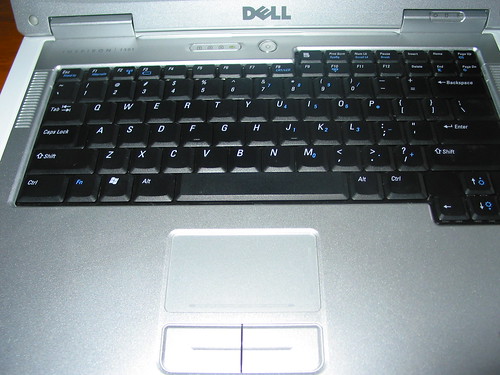
You may be surprised by the smallish size of the Dell's keyboard given the size of the laptop itself, but the reason for giving so much space to rest your palms and part of your wrist is because primarily the M1710 is a gaming notebook, so all the keys used by gamers can be comfortably used for long periods. But this doesn't diminish the overall ease of use of the excellent keyboard and touchpad.

As the M1710 comes with Vista Home Premium we gave the Vista benchmark a spin and got a score of 5.9 and 5.8 for the graphics and gaming graphics respectively, but because of a slowish hard drive and just the one gig of memory, the overall Vista score is a fairly average 4.3.

Storage comes in the form of a 120GB, 5,400rpm Hitachi drive but if you want faster transfer rates, a 7,200rpm drive is an alternative you can choose when you configure your M1710. Also provided are an Express Card slot and a 5-in-1 Card Reader. Joining these on the right-hand side of the chassis are two audio ports and a 4-pin FireWire port. The left-hand side holds the Blu-Ray drive and two USB 2.0 ports.

The rear of the chassis has all the other ports, and in addition to the monitor outputs you also get four more USB 2.0 ports, S-Video out, LAN and modem ports (connected to integrated Gigabit Ethernet and V.90 controllers respectively). You get 802.11a/b/g Wireless as well.

"What about all the lights?", I hear you cry. Oh well, you had to ask. The two XPS logo cut-outs in the lid, the speaker grilles, the fan grilles and the logo cut-out in the touchpad are all back-lit by LEDs. But it doesn't end there: with the exception of the mouse pad all the colours can be changed - with what Dell calls the XPS LightFX - and you have a palette of 16 colours to choose from. These can be changed easily in the BIOS or by the harder-to-find 'gaming' tab of the Dell Quickset utility in the program menu.

As with all the XPS range you get special treatment for spending all that hard-earned cash, in the shape of two years on-site warranty and the special, dedicated, XPS 24 free phone technical support.

Dell - XPS M1710 features - Verdict

Dell has upped the ante on gaming notebook performance with the XPS M1710. Yes it's expensive, but you get an awful lot of laptop for your money, a machine that can hold its own with a great number of desktop PCs out there.

Source: itreviews

DELL E1505/6400 REVIEW

Screen:

The 15.4" WSXGA+ LCD is amazing. The pictures are sharp, and there is little evidence of ghosting. My LCD has only a small amount of expected light leakage along the bottom and top edges, but nothing that is intrusive. Even when watching DVDs on a black screen, it is hardly noticeable. No dead pixels to speak of, and I can't notice the 'sparkling' other people talk about. The color saturation is excellent. As for brightness, the screen is pretty bright at the highest setting, though that's not adviseable for battery usage. There is a problem with glare on this glossy coating, which is even noticeable on highest brightness (on a sunny day).

Heat:

The laptop will get warm, just like every other laptop. Specially on the underneath side towards the back. The palm rests will warm up insignificantly. Overall, the system has good heat dissipation, and will hover around 40-45 C for normal operations. The system never gets too hot, and it can always be placed on the lap without any discomfort.

Noise:

The CD/DVD drive is NOISY. It also tends to cause vibrations throughout the keypad area. The harddrive has a gentle hum thats very tolerable. The fan comes in 3 stages. The lowest stage is hardly noticeable, and very quiet. The 2nd stage is a bit louder, but also nothing too bad. The 3rd stage is a bit noisy, but not so much that it interferes with operations. And to note, the 3rd stage will only kick on for a few seconds, and is not prolonged.

Construction:

Mediocre at best. Perhaps one of the few faults I can find with this E1505 is the poor build materials. The plastic along the back of the LCD panel is easily scratchable, and the white bumpers along the edge has a distinct cheap plastic feel. Too bad the chasis isn't made of carbon fiber or magnesium alloy... Its just cheap cheap plastic. Areas along the vent and undercariage are depresseable with a semi-strong push. Although the laptop does not feel like it will break without a significant reason, the feel of the quality is still pretty miserable.
The LCD panel opens and closes without squeeking, and it feels pretty tight and well matted so thats good. The clasp along the top is plastic, and works as intended.

Sound:

The sound system on the laptop is remarkeably good. Sure, it won't replace any high end stereo equipment, but for integrated speakers, they're good. They have good bass, and a moderately crisp sound. However, there's always headphone jacks if you rather use a pair of headphones.

Price:

I got my laptop through Dell EPP program and with a $-750 as well as a free 1 GB Ram upgrade. Therefore, the price was roughly slashed by 40%. Making my laptop a very very good value. Dell runs promotions throughout the year, so keep hunting for a price, and Dell won't let you down. However, the E1505 is priced competitively at its regular sale price. (My laptop with its settings was bought at $1259.45 after tax and s/h)

Speed:

The advertising for the Core Duo DOES NOT LIE. The overall system is INCREDIBLY fast. My T2500 was able to compute 1 million digits of Pi (albeit, on Mathematica 5.2 which supports Core Duo Processors) in roughly 15 seconds [Remarkeable]. Then, just to push the limits a bit, I decided to run a virus scan (mccafee), spyware scan (spybot), and System Mechanic Pro 5 all simulteneously. (All the while also chatting via AIM). Lo and behold, the system usage hovered around 90%. Which is incredible since I was running so many programs simulteneously. The responsiveness of the system is much quicker compared with a single core system. However, is the extra $70~ worth it for the T2300 upgrade to T2500 (around +0.17GHz)? Probably not... But I like my T2500 =)

Video:

Fortunately, the E1505 has something besides the dreaded integrated video: a dedicated video chip. Unforunately, the options arn't the best (but not the worst either). The high end chip for the E1505/6400 is the ATI Mobility X1400. Clocked at 432 MHz, and with 128 MB Dedicated onboard memory (256 Max), the X1400 will not compete with the Nvidia 7800s or 6800s. But it will get the job done. Video editing, DVD watching, and some games, the X1400 will handle it without breaking a sweat.
I personally use my laptop for only "lower-end" games like Warcraft III, and less graphics demanding games like Civilization IV. However, I was able to run Doom III on High settings and a decent resolution (1024x768) at a steady 40 FPS without any overclocking (Omega Drivers). I would not dare to try FEAR or Oblivion on these kind of settings though.... The X1400 will satisfy most casual to low-High end gamers.

Keyboard/TouchPad:

The keyboard and touchpads are decent. The keyboard has a nice size, and good keystroke depth. The touchpad is very responsive, and the side scroll lengths are useful. Although, the two click buttons feel quite cheap... (fortunately, I've replaced this with my wireless optical Logitech V500 Mouse $20)

Wifi:

Meh, its a standard Intel A/B/G adapter. It gets the job done, I get a 4 bar reception strength (and excellent signal quality) here in my room 2 floors above my router ($40 Netgear G wireless router WGR614-v6)

Ports:

Nice array of ports. 4-USB 2.0, Firewire, PC Express Card, 5-in-1 media slot, video out, and s-video out port (at least I think that's what it is...).

Media Direct:

Nice row of multimedia buttons with a cool blue backlight along the front end for easy access to sound, and play options. Dell's Media Direct is useful for playing multimedia without booting into Windows.

Asthetics:

The laptop looks cool, no lie. Although the white bumpers look kinda cheap, the silver finish along the inside and ouside mixed with the black undercarriage looks pretty neat.

Preinstalled Software:

Oh jeez, another hitch Dell has: the incredibly USELESS and abundant amounts of bloatware they install. So annoying to get rid of... Recommend complete reformat and clean install or otherwise face 1-2 hours of housekeeping...

Battery:

Respecteable battery life. Approximately 6 hours on a full charge using headphones on low sound, medium brightness, and wifi off. 5 hours on full charge with wifi on. But keep in mind, I am using the upgraded 9 Cell rather than a 6 cell. (Although I did get 2 batteries, which is a wise thing to do for those buying a laptop) The batteries charge fairly quickly, approximately 2.5 hours to charge a 30% battery to 100%.

Overall:

A good laptop for a large host of users looking for a balance of power and value. The speed and hardware on this laptop is excellent. Although it could use a better construction and less bloatware that came with...


Recommendation:

yes, buy the E1505 if you are looking for an affordable laptop that delivers a punch. However, if you're a hardcore gamer (rather play FEAR/Oblivion on high settings), it would be best to get a desktop replacement laptop (E1705, XPS, etc etc) Or better yet, why not just get a desktop . The E1505 can handle everything from word processing, email, surfing the net to video editing, and low-High end gaming (WoW, Doom III).

DELL VOSTRO 1400

Dell is recognized as a pioneer in the field of notebook and desktop computers. It has a unique technology involved that offer the necessary precision, which many other companies fail to do. Dell has made work out more accessible and reasonable by changing the way people shops for technology. Dell Customers are highly satisfied with the features and services offered to them 24*7. Dell Vostro is the latest launch and comes with varieties of models. Dell Vostro offers hardware, software and other resolute maintenance in the office and the best feature is the portability. Vostro models are familiar for its excellence and high mobility. Dell Vostro is a genuine smart choice that balances workability, stability, fashion and value to your lifestyle.

With the varieties of Dell Vostro models, Dell Vostro 1400 is simply superb. This is the earliest 14.1-inch wide screen display model in the PC Dell Vostro business-class notebook line. Further you will find the latest technology involved in it such as configuration of “Santa Rosa” compatible Intel Core 2 Duo and Celeron processors. Dell Vostro 1400 comes in two versions of “Santa Rosa” – one with integrated and another with dedicated graphics solutions. Dell Vostro 1400 comprises weights of 5.5lbs for outstanding mobility; additionally depend on the configuration and company. People enjoy carrying Dell Vostro 1400 as it is stylish, thin and light and the most attractive part is its far-reaching technology with Wi-FI connectivity, portability, and broad service option. The new Dell Vostro 1400 is just perfect of the professionals on the business move with highly customer appealing feature.

Dell Vostro 1400 offers memory up to 4GB for fast performance comes with integrated Graphics Media Accelerator X3100 on Intel GM965 chipset, and gives high pixels resolution of 1440x900 or 1280x800 anti-glare displays with TrueLifeTM technology. In case you need to use more than 3 GB then you must go for 64-bit operating system, but when purchased online you would get only 32-bit Windows Vista. You can have storage up 160 GB hard drives at 5400rpm with Dell Vostro 1400 notebook. Apart from that you get an ExpressCard slot, 8-on-1 media card for quick transfer media files, four USB ports, an infra-red sensor, a Firewire, and VGA and S-Video outputs. It has 28% greater performance with 2 Duo Dual-Core Processor and has extremely longer battery life.

If you own a small business than Dell Vostro 100 notebook is simply a back-to-back solution, which offers, compatible software, required services, and hardware that might be useful for you. The Dell Vostro 1400 notebook offers dominant performance with Intel Celeron M M540 processor. Support Services Dell Vostro offers has variety of tailored services and support programs adapted to meet precise customer requirements. On booking you will as well get 1 year hardware warranty. Additionally you get durability and consistency with magnesium-alloy chassis, sealed full-sized stylish keyboards and steel hinges. Dell Vostro 1400 can withstand your business portability and around the clock consistency. As soon as your Dell Vostro 140 arrives, it is ready to use right out of the box. Dell notebooks are improving day by day, and we expect to have more features from them.

DELL VOSTRO 1500 - EXCELLENT PERFORMANCE and CONNECTIVITY

In the age of globalization, the usage of the Internet and computers has become a necessity. People nowadays prefer to work on notebook computers or laptops rather than on desk computers. Moreover, as these notebook computers can be used anytime and at any place, a large number of people are shifting from traditional computers to the newly improvised and designed notebooks.


Dell is a popular brand that produces notebooks so that customers can enjoy working and that too at affordable prices. These notebooks produced by Dell are built specially to cater to small business units. They also have the additional benefit of getting customized with new and advanced software and features.

The newly introduced notebook produced by Dell is the Dell Vostro 1500 which is a perfect blend of durability and excellent performance. This special notebook offers widespread technology opportunities, brilliant portability, superior wireless connectivity and various other features.


The notebook solutions provided by Dell offers a blend of software, hardware and services that are required by small businesses. They have been specially modified with selected software applications which are required by your business.

As brilliant performance is the most striking feature of the Vostro 1500 notebook, it also has the feature of video memory up to 256MB so that the optional Graphics card can also be featured so as to serve the needs of customers. Moreover, the attractive storage of 160GB makes the Dell Vostro 1500 customizable notebook all the more admirable. The memory3 of up to 1GB is also one of the reasons that small businesses go with this option.

The feature of great durability also attracts a large number of potential buyers. The exclusive RoadReady durability option is found with this special model so that excellent reliability feature can be enjoyed by the users. The exterior of the Vostro 1500 has been specially made from durable magnesium alloy so that strength can be gained, and one can use it everyday without extra care. Interestingly, the shock absorber software contributes in protecting the important data and information in the hard drive. Mylar is the improvised technology which is employed while designing the keyboard so that problems due to spills and dust can be avoided.


As the Vostro 1500 customizable notebook is wireless, it makes it easier for the users to carry the notebook with ease. There is the attractive HyperConnect feature which helps in working virtually whenever and wherever required. Bluetooth technology is also a main feature of this notebook which enables connecting wireless peripherals, such as headphones, mouse and keyboard.


Accessing one’s calendar, files and contacts in a fraction of a second is also the major feature of Dell Vostro 1500 notebook. Dell MediaDirect is the technology which provides the user the option to access important things easily. Furthermore, Dell UltraSharp display offers excellent viewing angles and resolution that makes this notebook more attractive.

So, getting a Vostro 1500 customizable notebook is the best option to take if you are looking for anti-glare display, convenient connectivity and superb performance.

DELL B130 INSPIRON LAPTOP


Introduction
The Inspiron B130 represents Dell latest entry into the budget laptop market. This laptop is designed to fit the needs of most users who plan to use this laptop for everyday tasks. With capabilities to run productivity software, connect wirelessly to the Internet, burn CDs, read DVDs and provide portability when you are on the go the B130 is a solid choice for a new laptop computer.

Look & Feel
True to its intended use, the Inspiron B130 has a basic fit and finish that will not stand out in a crowd. The black / silver casing and square, block-shaped design gives this laptop a no-frills appearance.

Build quality on the B130 is a plus point, with sturdy screen hinges on both the left and right sides of the notebook. There is no flexing or bending in the hinges when opening the screen. The outer casing is made of a textured plastic that does a good job resisting scratches and does not easily smudge or pick up fingerprints.

B130 Top View B130 Front View B130 Connections
Top view of the B130 Front view of the B130 B130 connection options

Typically to almost all laptops, a latch on the lid of the screen is used to close and open the display. The keyboard is a full-sized, standard 87 key that is also typical to nearly all laptops on the market today. Tactile feel of the keys is average, with only minor adjustment needed to become accustomed to the lesser resistance of the keypad as compared to a regular desktop keyboard.

The 6.7 lb. weight (with 4-cell battery) is evenly distributed and the laptop is easy to carry. The B130 certainly does not fit into the ultra-portable laptop category, but at this price point you cannot expect to find a capably equipped notebook weighing less than 6 lbs.

Out of the Box Setup
The out of the box experience was very good, with the laptop and all of the accessories packaged securely. Also included is a large foldout poster detailing step-by-step instructions on how to set up the laptop for the first time. This is very helpful for first-time laptop owners and serves as a handy reference for getting the laptop up and running.

After the initial setup, which took about 10 minutes, a set of irksome pop-ups began appearing with information and warnings about using security software. These pop-ups, along with the other trial software packages that were pre-installed, can continue to cause headaches in the future if you dont take the time to uninstall the software. It is quite annoying to need to take the time to uninstall all of this software - it took close to an hour to completely remove all of the unwanted programs.

Features
The B130, as configured, features the following:
- Intel Pentium M Processor 745 (1.80GHz, 2MB Cache, 400MHz FSB)
- Windows XP Home Edition
- 14.1in WXGA Display (1280 x 800 native resolution)
- 1GB PC2-4200 DDR2 RAM (2 x 512MB)
- Integrated Intel Media Accelerator 900 Graphics
- 40GB 5400rpm Hard Drive
- Integrated Ethernet 10/100 Network Card and Internal 56K Modem
- 24X CD-RW/DVD Optical Drive
- Intel Pro 2915 Internal Wireless (802.11 a/b/g, 54Mbps)
- 4-cell Lithium Ion Battery

Performance
Before getting into the details of the B130 testing results, there are a few points to consider about the CPU in this laptop. The Intel Pentium M processor line is currently in the backseat as the new Intel Core Solo and Core Duo processor lines take center stage. However, with the introduction of these new processor lines the Pentium M line has seen quite a reduction in price. This has made Pentium M based laptops become quite attractive in terms of performance for your dollar. These CPUs provide enough processor power to handle multiple desktop applications at once, while still drawing minimal power to help extend the battery life available before needing to recharge.

Application Testing
In subjective application performance testing, the results showed that the B130 performs reasonably well. Opening three Firefox browser windows along with an MP3 player, spreadsheet file and word processor document did not cause the laptop to slow down in any way. I was also able to run an image editing program and quickly perform a number of image enhancements without experiencing any frustrating pauses or lockups. However, when running more resource intensive applications - playing a DVD movie or running video editing software the notebook struggled and was not able to simultaneously run the applications smoothly. Choppiness in the movie playback and tedious pauses resulted, and it is clear that these types of programs show the limitations of the B130.

Graphics Testing
Testing of the gaming capabilities for this laptop was limited due to the graphics processor. The integrated Intel Media 900 graphics chip is simply not powerful enough to run any of the current generation 3D games. Attempting to play Doom 3 and RTCW: Enemy Territory was futile, as the frame rate was unacceptable at even the lowest graphics settings. This notebook is not designed to run any of the current generation games.

LCD Display
Throughout the testing the 14.1 LCD screen provided a clear, bright and accurate display of images and text. Visibility from about 30 degrees to the left or right of center was also clear, although not as vivid as other Dell models that feature brighter TrueLife displays. The B130 LCD screen has a matte finish that helps reduce glare, and it does a good job as long as you are not in direct sunlight. When running multiple applications, however, more room would be nice to display multiple windows simultaneously. If you like to keep a lot of applications open at once, then you could probably use the extra real estate a 15.4 or 17 widescreen provides.

Battery Life
Battery life testing showed that the 4-cell Lithium Ion battery was not outstanding, but provides adequate time before needing to be recharged. Under light usage with web surfing and emailing, the battery lasted nearly 2 hours and 45 minutes. Under more heavy usage, such as watching a DVD, the battery lasted just over 2 hours. If you want to use the B130 for more than 3 hours between charges, plan on spending the extra money to upgrade to the 6-cell battery.

Wireless Connectivity
Wireless networking was simple and easy to setup with the built-in Intel Pro Wireless card. The wireless connectivity of the B130 is one of its strong suits. Testing was performed with the wireless router stationed at the top floor of the house and the laptop used in the basement and outside on the patio. The wireless connection stayed strong throughout the testing with no dropped connections.

Heat and Noise
Finally, the subjective noise and heat testing revealed a strong point of this laptop. The cooling fan is near silent during light usage, and remains quiet even during heavy usage. The heat vent is located in the back of the laptop and does a good job keeping the warm exhaust air out of the way.

Overall, the B130 is not a superstar in any of the performance categories. It provides an adequate level of performance for everyday tasks.

The Verdict
The market for budget laptop computers is a crowded one. There are numerous other notebooks from Acer, Sony, HP, Toshiba and Gateway that will provide the same, or better, level of performance. At this price point, however, you will be hard pressed to find a similarly configured laptop computer that beats the B130 in performance and overall functionality. A very attractive LCD screen, strong wireless performance and a friendly out-of-the-box experience make the B130 worthy of a close look for anyone looking for a budget friendly laptop.

Dell Inspiron B130 Laptop Computer

Pros: LCD display; very quiet; impressive wireless performance; easy to setup and use

Cons: No useful software included; box-like appearance; weak graphics card; so-so battery life

The Verdict: Competent everyday laptop that provides excellent overall value

Source: topreviewshop

DELL INSPIRON 1501 REVIEW

Processor:
I opted for the Turion 64 MK-36, which gives good performance (according to CPU benchmarks, about equivalent to a 3.2GHZ Pentium 4) SuperPI to 1million takes around 40-45 sec depending if im on battery or wall plug

Memory:
I bumped it up to 1GB of DDR2 Memory which i have never had run out on me (I usually hover between 450-500mb available)

Hard Drive:
I have a Hitachi 80GB 5400RPM HD which, in HD Tune,Gives me a minimum transfer rate of 3.0mbps, a maximum of 47.5mbps and an average of 36.5mbps, access time is 17.8ms, burst rate is 97mbps and cpu usage is 5.6%

Graphics:
The ATI Radeon Xpress 1150 has 256mb of shared hypermemory (borrows 256mb from system memory.) It gives me pretty respectable performance (about 30fps average in FEAR 1024x768 medium quality)


Screen:
The 15.4" Samsung Display with Tru-Life (glossy) goes to 1280x800 and looks REALLY Nice! Its very clear with good color saturation and little light leakage


Build Quality:
This is built really well, i feel comfortable lifting it with one hand and have little to no body flex.

Wifi:
This has the Dell 1390 wireless card which is capable of B/G Wireless and gets a VERY strong signal, in my opinion, much higher than my older toshiba laptop.

Keyboard/Trackpad:
They both are very easy to use and comfortable for my hands, the only thing that bugs me is that clicking the trackpad buttons, feels like pressing the spacebar, but i got used to it quickly


Thats about it, thanks for reading!


Dell Inspiron 1501 2.0ghz Turion 64 MK-36
1GB DDR2 Ram
80GB 5200RPM HD
ATI Radeon Xpress 1150 (256Mb Shared Hypermemory) (Average of 30FPS in fear 1024x768 Medium)
Running Vista Home Premium
15.4" TruLife Screen
DVD Burner

Imac C2D
2.0ghz C2D
1gb DDR2
128mb X1600 (dedicated)
160gb 7200RPM

Blackberry Pearl
312mhz Intel Xscale
1gb Micro-SD Card

DELL XPS M1330 REVIEW

Dell recently announced the XPS M1330 a 13.3" widescreen ultraportable and ultra sexy notebook that uses the Intel Santa Rosa platform. Equipped with an available dedicated Nvidia 8400m graphics, slot loading optical drive, LED backlit display with 300-nit brightness, and integrated web-camera, the M1330 is less than 1” thin at the front and weighs in at 4lbs. The following is a quick first take on the Dell M1330.


Dell XPS M1330 13.3" screen ultraportable notebook

Build and Design

The Dell XPS M1330 (starting at $1,299) features what can only be described as one of the “sexiest” designs we’ve seen on a Dell notebook. A sleek combination of aluminum and plastic with a colorful paintjob on the back of the screen, this notebook is an ultraportable with style. Measuring as thin as 0.87-inches and weighing 4 pounds, the M1330 is a little heavier than some competing ultrportables but is still remarkably thin and light for a Santa Rosa- equipped notebook.

Our pre-production XPS M1330 as equipped:

  • 13.3-inch WXGA screen with LED backlight
  • "Crimson" red paint (also available in "Tuxedo" black or "Pearl" white)
  • 2.0GHz Core 2 Duo T7300 processor, Santa Rosa chipset (up to 2.4GHz available)
  • 2GB DDR2-667 SDRAM (up to 4GB DDR2 SDRAM available)
  • 160GB 5400 RPM SATA HDD (32GB SSD drive available)
  • Slot-loading dual-layer DVD±RW drive
  • 128MB NVIDIA GeForce Go 8400M GS
  • WWAN option for Verizon
  • Ethernet, 802.11a/g/n (Intel 4965), Bluetooth option
  • Integrated VGA webcam
  • HDMI, VGA, 1394, two USB 2.0 ports, integrated media reader (MS, SD, xD), fingerprint reader
  • Media Center remote located in ExpressCard slot
  • Windows Vista Home Premium
  • Dimensions 12.5" x 9.4" x 0.87" - 1.33"
  • Weight starts at 4 pounds with 6-cell battery


The full sized keyboard of the M1330

The build of the case exterior is mostly strong plastic with no noticeable case flex. The interior/keyboard surface as well as the LCD sides and hinges are made of brushed aluminum which provides amazing rigidity. While the glossy widescreen 13.3” LCD is thin and somewhat flexible, there are no noticeable ripples even when pressing firmly or flexing the screen. There is minimal light leakage at the top and bottom of the screen and both horizontal and vertical viewing angles provide an excellent viewing experience. The glossy screen is quite reflective, but this isn't a problem if the LED backlight is on at higher settings. The M1330 doesn't use any type of latch to close the lid, just a firm hinge closing mechanism that works well.


The screen of the M1330 (left) compared to the M1210

The keyboard is full sized and very nice with cushioned keys and almost no flex. One surprise was a set of dedicated media keys directly above the keyboard, a nice feature not found on many ultraportable notebooks. What makes these media keys all the more impressive is the fact that they are LED backlit, flush-mount keys that are heat sensitive to touch. Press the keys with a pen and nothing happens … but glide your fingertip over a media key and the key will light up and respond to your touch. In a word, cool.


The media keys are a little close together, so people with large fingertips may find themselves pressing two buttons at once.

The only thing remotely negative we can say about the pre-production M1330 keyboard is that the palmrests were noticeably warm even while the notebook was idle. The heat wasn’t uncomfortable, but it was certainly warm.

The touchpad provides excellent responsiveness and feels quite nice compared to the “cheap” touchpads found on many other ultrportable notebooks. The plastic touchpad buttons (made to look like brushed aluminum) are well cushioned with a near perfect amount of feedback. The fingerprint reader responds well with a firm, centered finger scan. In addition, the fingerprint reader is recessed so it won’t be accidentally triggered while you type.


The touchpad and mouse buttons

The built-in speakers provided adequate sound performance. As with most built-in speakers, bass response was limited, clarity was good at lower volumes and there was some distortion at higher volumes.


The left speaker above the XPS M1330 logo

Below is a video of the Dell XPS M1330 (hosted by Andrew) so you can see why the M1330 is so impressive:

Ports and Features

While some ultraportable notebooks are thinner and lighter than the new M1330, most of these thinner notebooks lack a built-in optical drive. The M1330 comes equipped with an impressive slot-loading dual-layer DVD±RW drive which helps keep the notebook reasonably thin without sacrificing case strength. The loading and ejecting functions of the slot-loading drive were a little noisy, but the overall operation was silent.


Compared to the M1210 (right) the front of the M1330 (left) has dual headphone ports, microphone port, and multi-card reader.


Compared to the M1210 (right) the front of the M1330 (left) the right side has an ExpressCard slot (Media Center remote), wireless on/off, slot-loading optical drive, USB port, and security lock slot.


Again, compared to the M1210 (right) the left side of the M1330 has a power jack, VGA port, USB port, HDMI port, and Firewire port.

The port selection of the M1330 is remarkably good for a notebook of this size. Above you can view a video that tours the ports on the notebook, and if you prefer to read here's a quick rundown of what you get:

  • Two USB 2.0 ports (one on the left and one on the right)
  • IEEE 1394 / FireWire port
  • VGA monitor out port
  • HDMI port
  • Dual headphone / line-out ports
  • Microphone in port
  • ExpressCard slot
  • Ethernet LAN port
  • SD/MMC/MS/MS Pro/xD card slot reader
  • Biometric security/finger print reader

In addition, the M1330 comes with a two-megapixel web camera built in directly above the LCD. Unlike almost every notebook webcam currently on the market, the webcam built into the M1330 is a remarkable performer. Brightness, color and contrast are all near perfect, and the face tracking feature lets you keep your face front and center during video conferences.


The top of the M1330 (left) with a sexy red paintjob trimmed in aluminum. The M1210 is on the right.


The bottom of the M1330 with memory expansion access, vents, and battery.

Performance

The Dell XPS M1330 comes in multiple build-to-order configurations based around the Intel Santa Rosa Core 2 Duo platform, base price starting at $1,299.

Since our sample M1330 was a pre-production unit our benchmarks should be taken with a grain of salt (your mileage may vary). That said, Dell was kind enough to allow us to publish the following benchmarks from our tests:

Super Pi comparison results:

NotebookTime
Dell XPS M1330 (2.0GHz Intel Core 2 Duo T7300)0m 58s
Lenovo ThinkPad X61 (2.0GHz Intel Core 2 Duo T7300)1m 01s
Lenovo 3000 V200 (2.0GHz Intel Core 2 Duo T7300)0m 59s
HP dv2500t (1.80GHz Intel 7100)1m 09s
Lenovo ThinkPad T61 (2.00GHz Core 2 Duo Intel T7300)0m 59s
Lenovo ThinkPad T60 (2.00GHz Core 2 Duo T7200)1m 03s
Toshiba Satellite P205-S6287 (1.73 GHz Core 2 Duo Intel T5300)1m 24s
Toshiba Satellite A205 (1.66GHz Core 2 Duo)1m 34s
HP Compaq 6515b (1.6GHz AMD Turion 64 X2 TL-52)2m 05s
HP dv6000t (2.16 GHz Intel T2400)0m 59s
Dell Inspiron e1705 (2.0GHz Core 2 Duo)1m 02s

PCMark05 comparison results:

NotebookPCMark05 Score
Dell XPS M1330 (2.0GHz Intel Core 2 Duo T7300, NVIDIA GeForce Go 8400M GS)4,571 PCMarks
Lenovo ThinkPad X61 (2.0GHz Intel Core 2 Duo T7300, Intel X3100)4,153 PCMarks
Lenovo 3000 V200 (2.0GHz Intel Core 2 Duo T7300, Intel X3100)3,987 PCMarks
Lenovo T60 Widescreen (2.0GHz Intel T7200, ATI X1400 128MB)4,189 PCMarks
HP dv6000t (2.16GHz Intel T7400, NVIDA GeForce Go 7400)4,234 PCMarks
Fujitsu N6410 (1.66GHz Core Duo, ATI X1400)3,487 PCMarks
Alienware M7700 (AMD Athlon FX-60, Nvidia Go 7800GTX)5,597 PCMarks
Sony Vaio SZ-110B in Speed Mode (Using Nvidia GeForce Go 7400)3,637 PCMarks
Asus V6J (1.86GHz Core Duo T2400, Nvidia Go 7400)3,646 PCMarks

3DMark05 comparison results:

Notebook3D Mark 05 Results
Dell XPS M1330 (2.0GHz Intel Core 2 Duo T7300, NVIDIA GeForce Go 8400M GS)3,079 3DMarks
HP Compaq 6510b (2.20GHz Intel Core 2 Duo T7500, Intel X3100)916 3DMarks
HP Compaq 6515b (1.6GHz AMD Turion 64 X2 TL-52, ATI x1270)871 3DMarks
HP dv6000t (2.16 GHz Intel T7400, NVIDA GeForce Go 7400)2,013 3D Marks
Dell Inspiron e1705 (2.0GHz Core Duo, ATI X1400)1,791 3D Marks
Acer TravelMate 8204WLMi (2.0GHz Core Duo, ATI X1600 256MB)4,236 3DMarks
Alienware Aurora M-7700(AMD Dual Core FX-60, ATI X1600 256MB)7,078 3D Marks
Lenovo ThinkPad T60 (2.0GHz Core Duo, ATI X1400 128MB)2,092 3D Marks
Asus V6Va (2.13 GHz Pentium M, ATI x700 128 MB)2,530 3D Marks
Fujitsu n6410 (1.66 GHz Core Duo, ATI X1400 128MB)2,273 3DMarks
Dell XPS M1210 (2.16 GHz Core Duo, nVidia Go 7400 256MB)2,090 3D Marks

HDTune results:


Overall our first impressions of the sexy (I can’t stop calling it that) Dell XPS M1330 are overwhelmingly positive. If Dell would have put this design on the market two years ago (even with previous generation processors) fewer people would have purchased HP notebooks in 2006. While our complete review remains to be finished, the M1330 is shaping up to be a remarkably well built and full-featured ultraportable notebook.

Source: notebookreview.com
by Jerry Jackson

Template Design | Elque 2007